


We’re excited to introduce the Vroom Premium Routing API app by Verso on the Nextmv marketplace. Verso, the company behind the popular open source project Vroom, provides the Vroom Premium API as a production-ready SaaS offering that returns optimized routes in milliseconds. Verso customers can now use an API-to-API connection to access the Nextmv DecisionOps platform for managing and visualizing their routes, performing scenario tests, tracking run history and logs, building workflows, and collaborating in a shared UI.
Visualize routes on an interactive map
For every run of your Vroom Premium API routing app, view the results in a table alongside an interactive map. See the optimized plan at a glance and then zoom in to see individual routes in detail.
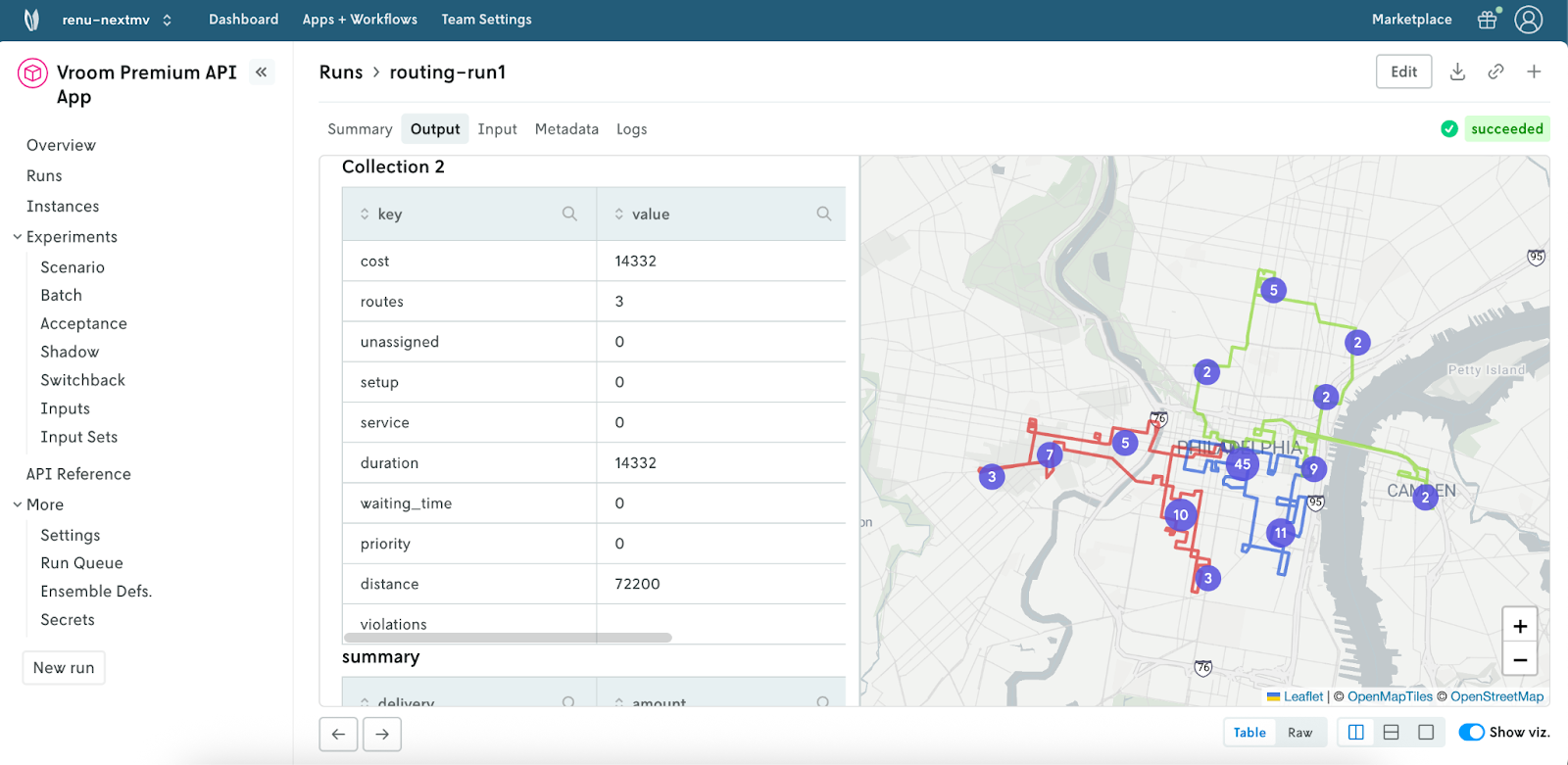
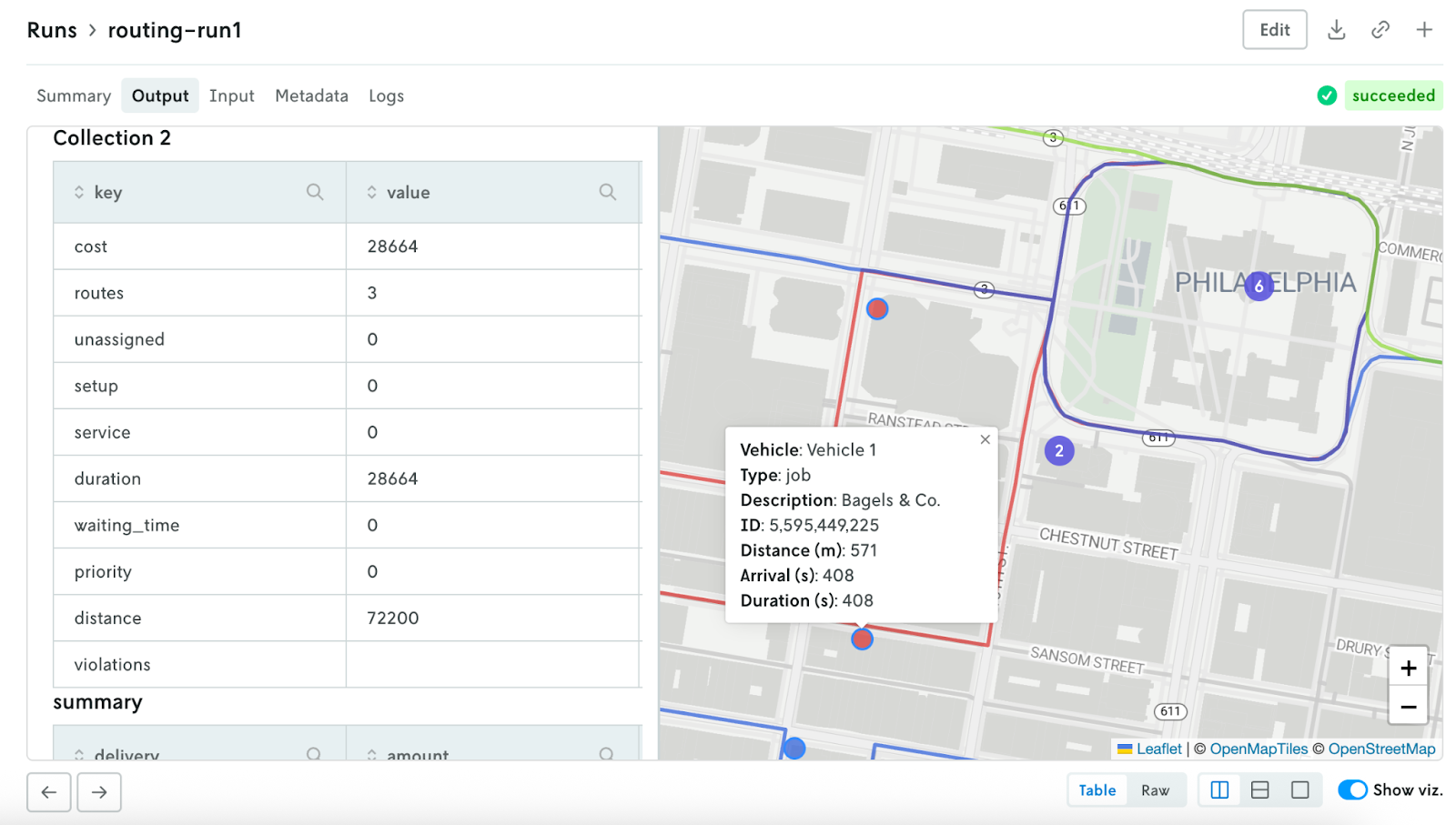
Click on individual stops on the map to see the stop details (e.g., name, type, duration). Share the view with teammates to quickly get on the same page.
Create a system of record
Build observability for your routing app to streamline troubleshooting and work from a shared space. See every run made with your app to automatically track when runs were made, by whom, and what the results were.
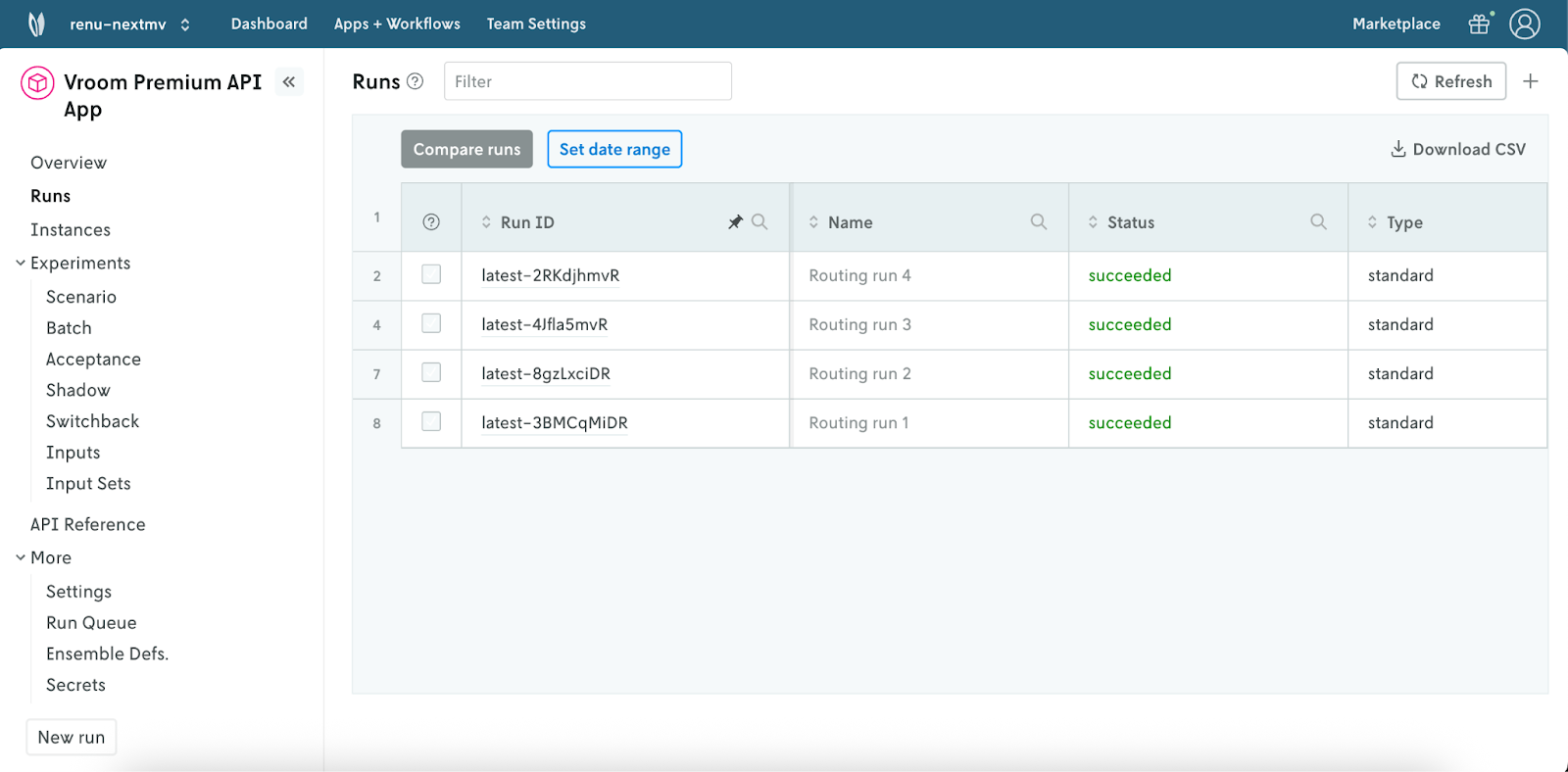
Select an individual run to see details such as metrics, cost, and number of routes.
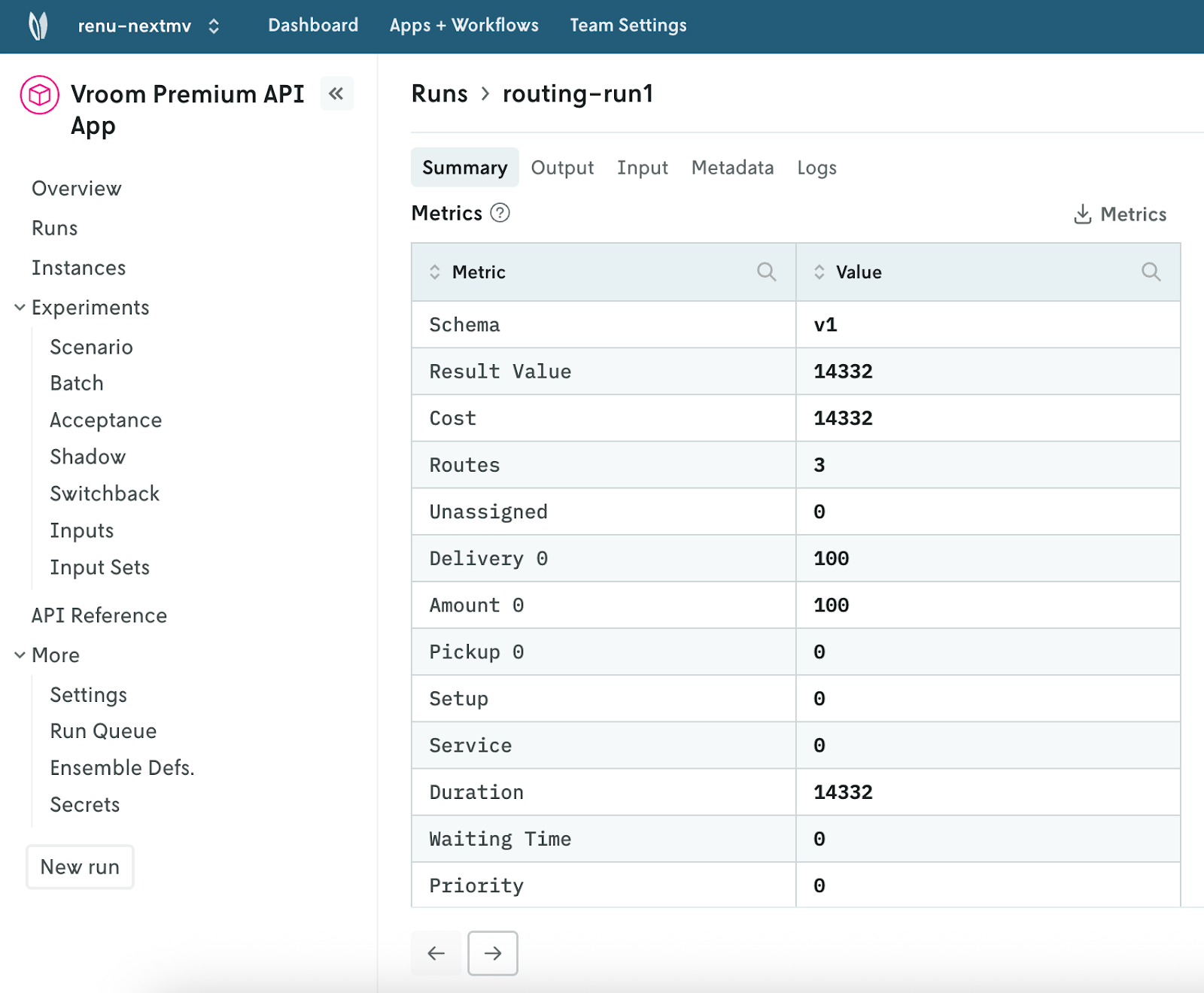
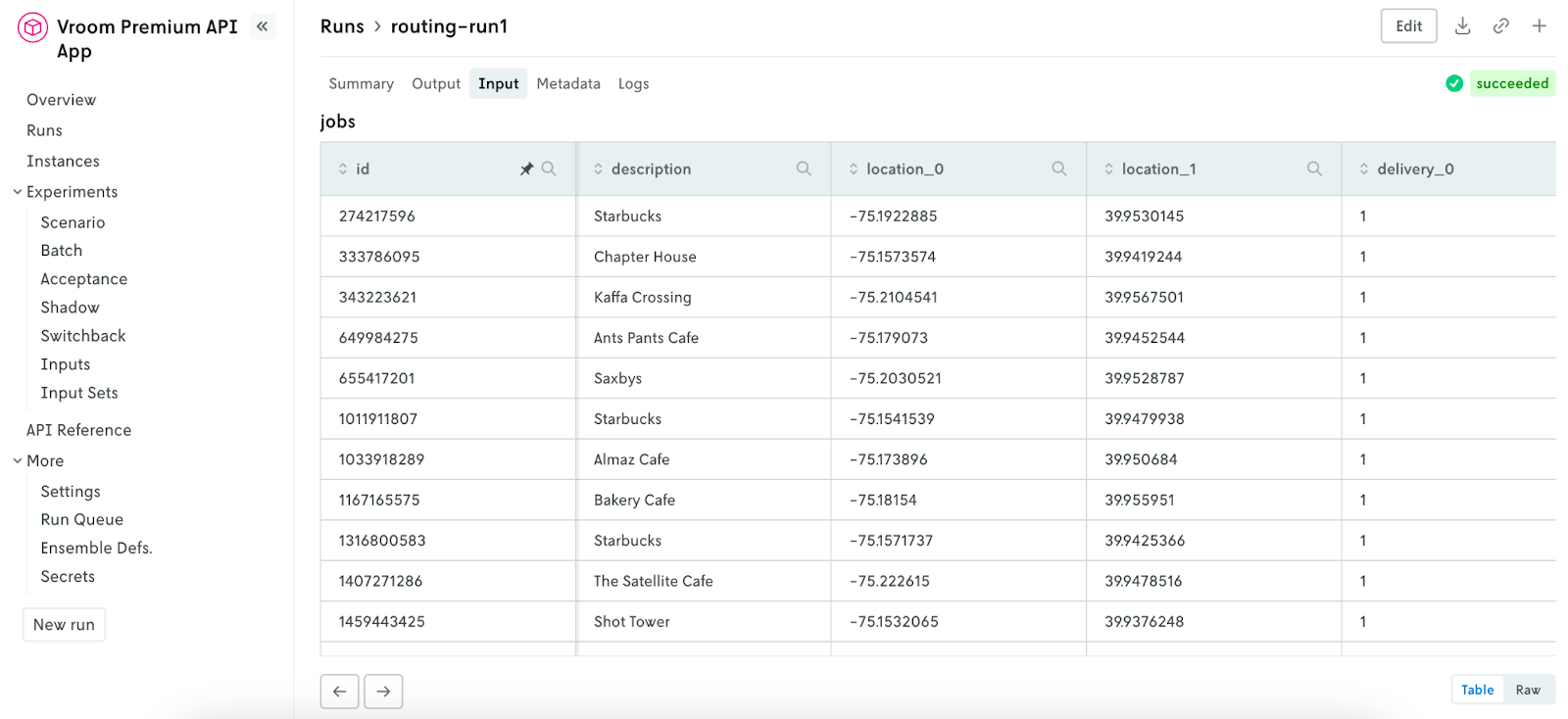
Easily access the input, output, metadata, and logs for each run. Share links with teammates or download the files directly. Clone runs to quickly reproduce a run using the same or modified input to investigate issues or performance changes.
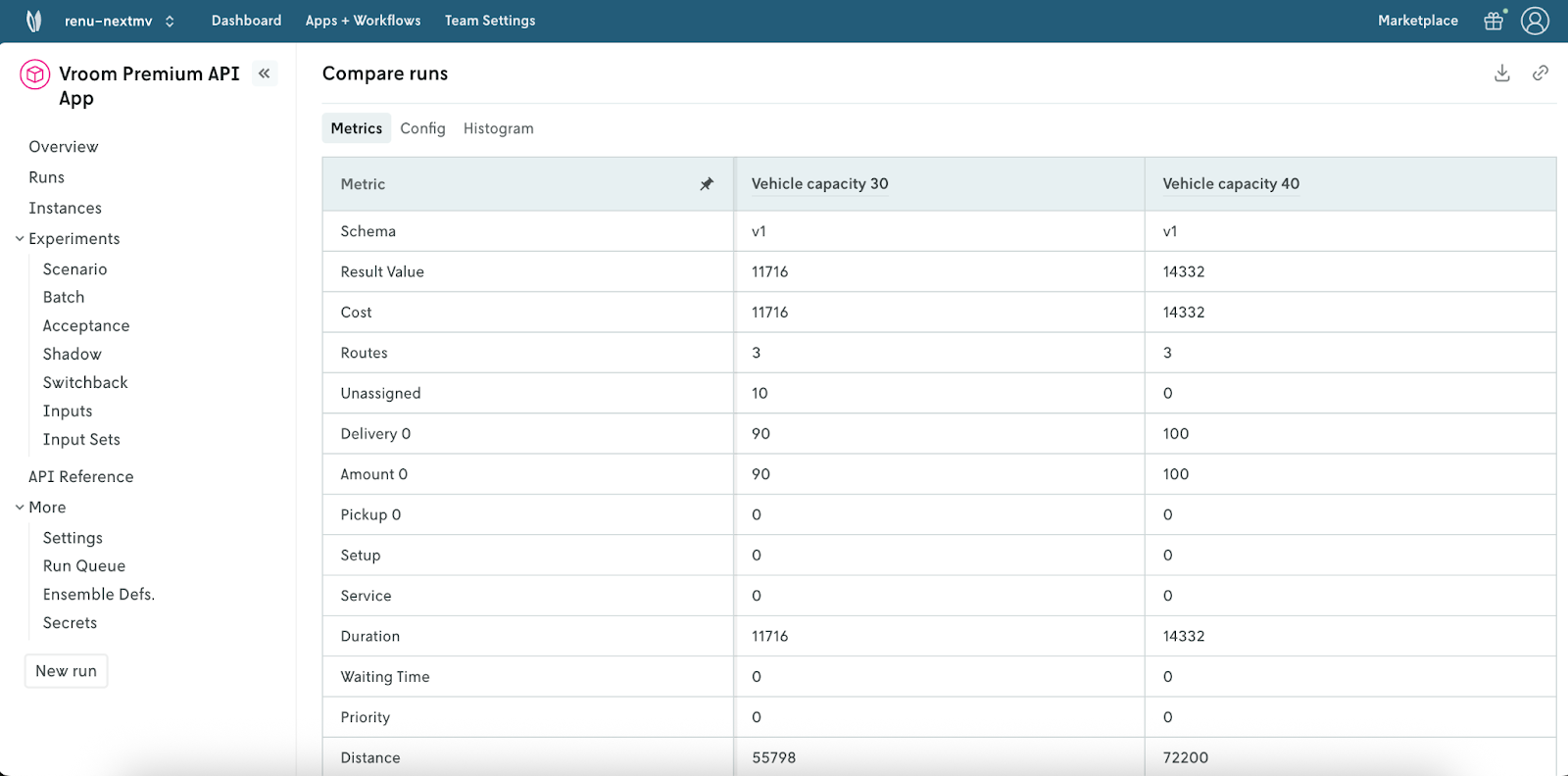
Compare metrics from multiple runs in one pane
Which run had a shorter distance traveled? Were there any unassigned stops? Select runs to compare key metrics such as unassigned stops, distance, cost, and more.
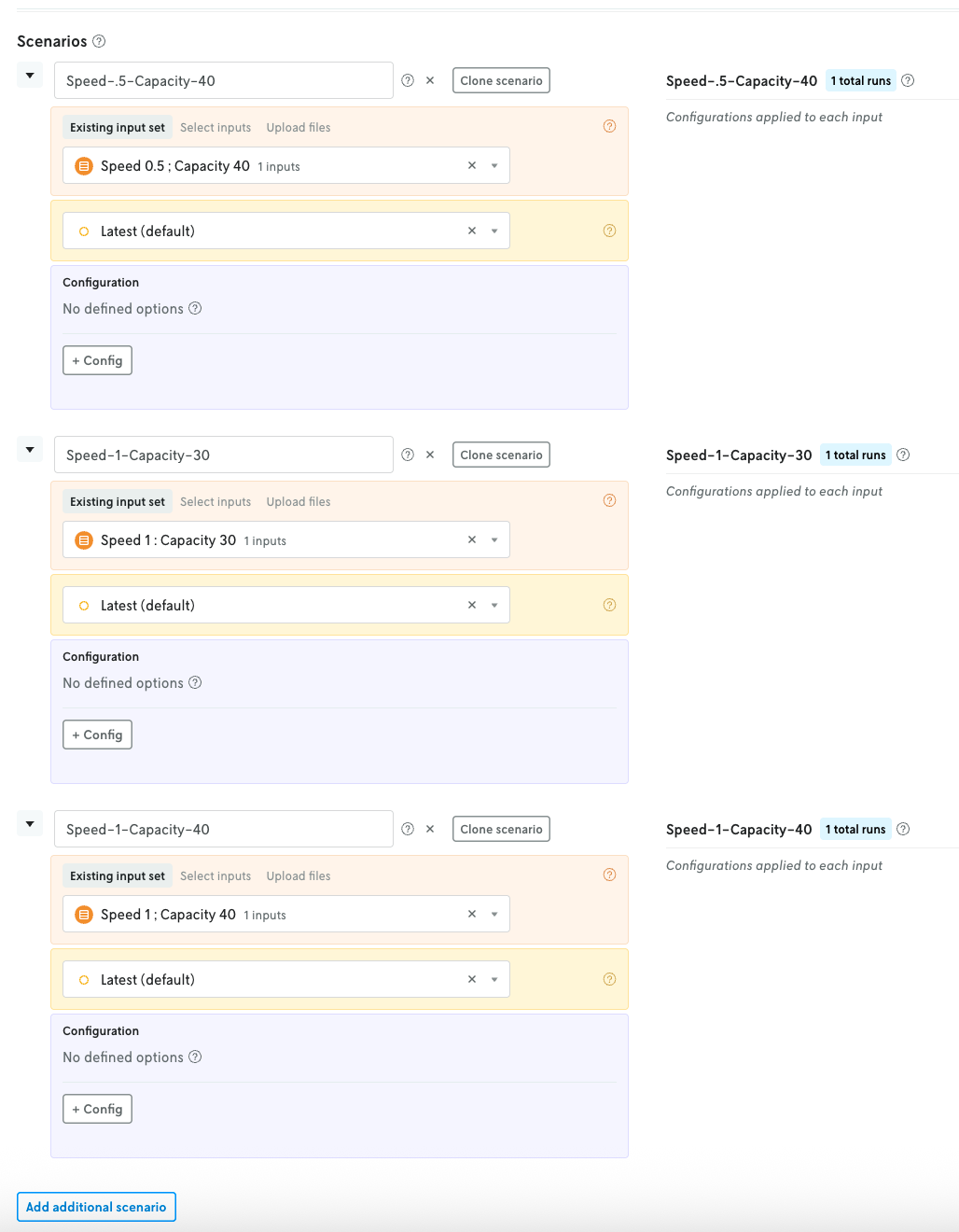
Perform scenario tests to understand the impact of changes
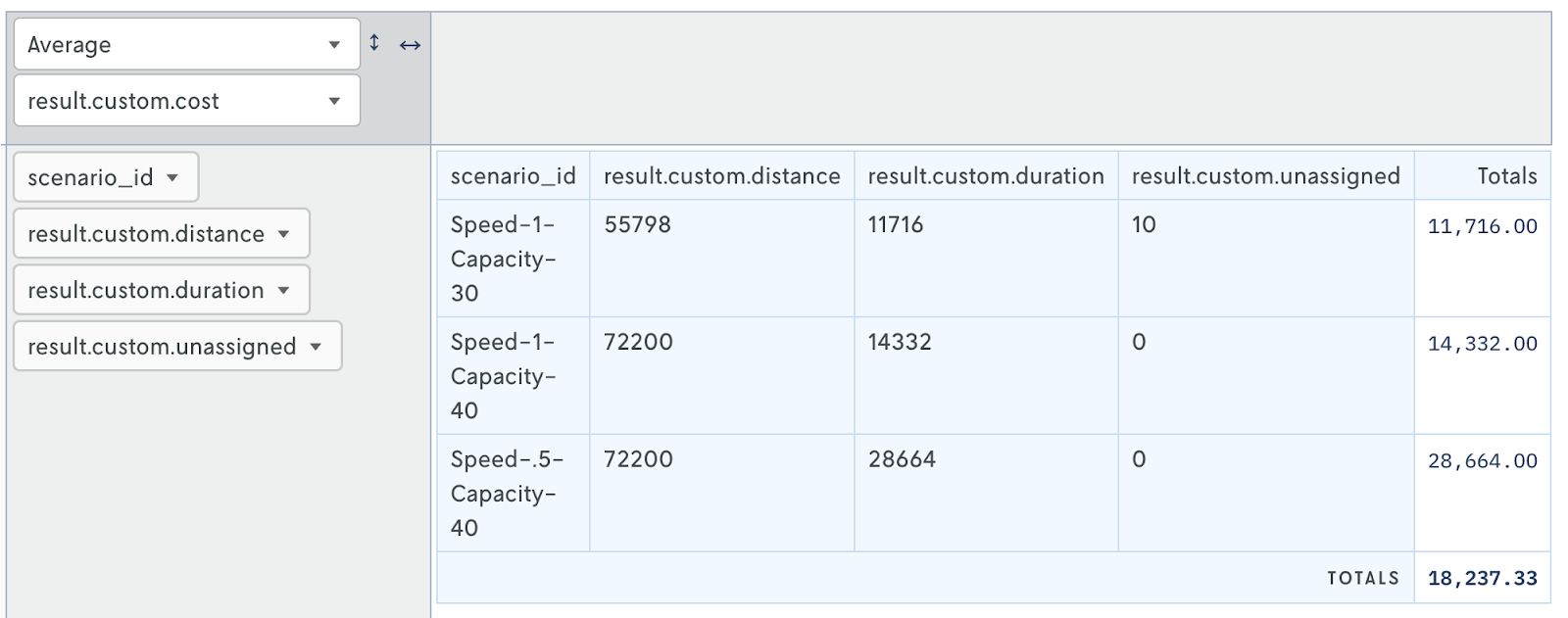
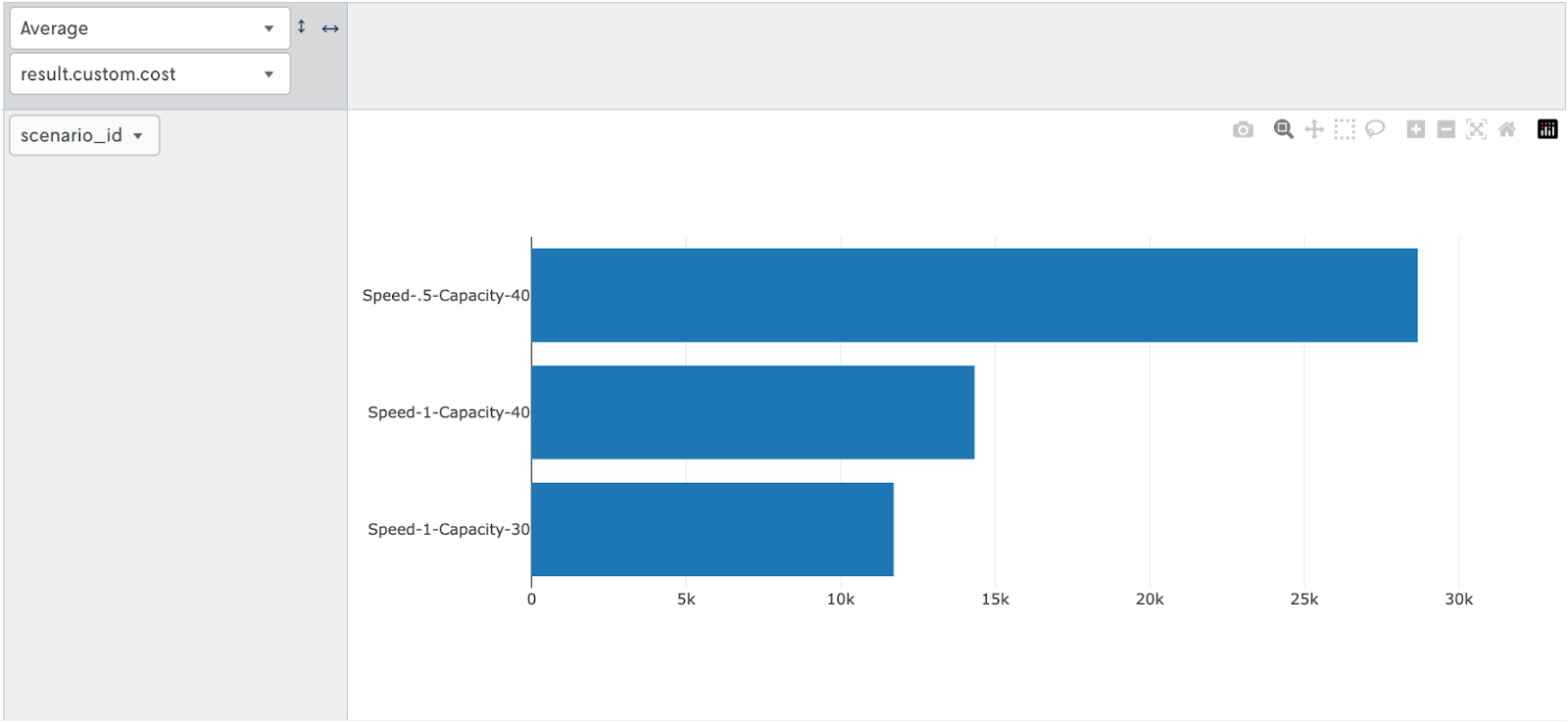
Create tests to answer “what if” questions. Analyze how tweaking factors such as speed, capacity, time windows for task servicing, and vehicle availability impact the metrics that matter most to your team. In the UI, create scenarios using input files that represent varying conditions. Below is an example of how to test varying vehicle speed and capacity.
Then use the interactive table to analyze results. Drag and drop metrics, use heat mapping, create bar charts, and more to understand how each scenario impacts your KPIs.
Get started with the Vroom Premium API on Nextmv
Create a free Nextmv account and clone the Vroom Premium Routing API app in the Marketplace.
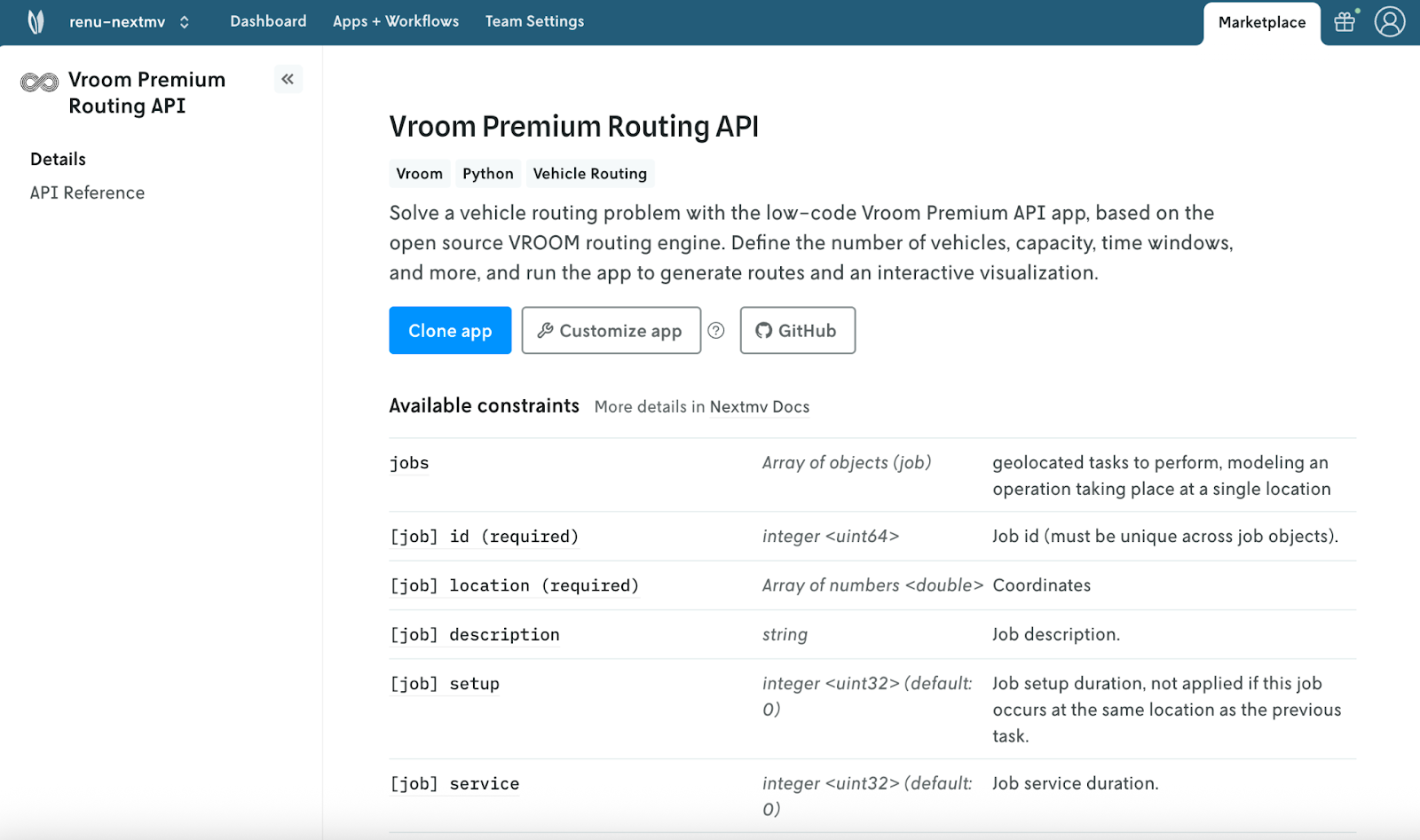
For more information on connecting your Verso account to Nextmv, visit the documentation. Have questions? Don’t hesitate to reach out to us. We’re happy to help!


.png)


